Search across your entrances
Use a registration, camera or time range to follow recorded movements without checking every camera interface separately.
From a farm entrance to a busy car park, make vehicle activity easier to understand. Bring your Hikvision ANPR captures, images and operational tools together on your own server.
One platform. Searchable vehicle history. Parking tools when you need them.
Choose the environment closest to yours. Each solution uses the same Ruby ANPR platform, with a workflow suited to the activity you need to review.
Connect arrivals and departures, understand occupancy and review overstays.
Explore this solutionKeep a searchable record of deliveries, visitors and activity around your entrances.
Explore this solutionGive staff a practical view of deliveries, contractors and vehicle movements.
Explore this solutionBring activity from managed gates into one consistent monitoring view.
Explore this solutionAdd a useful vehicle history alongside your existing access-control equipment.
Explore this solutionConfirm your Hikvision model supports the ANPR event configuration needed for Ruby ANPR.
Check compatibilityFor sites that need to understand arrivals, departures and time on site, optional Parking Management connects the visit from entry to evidence.
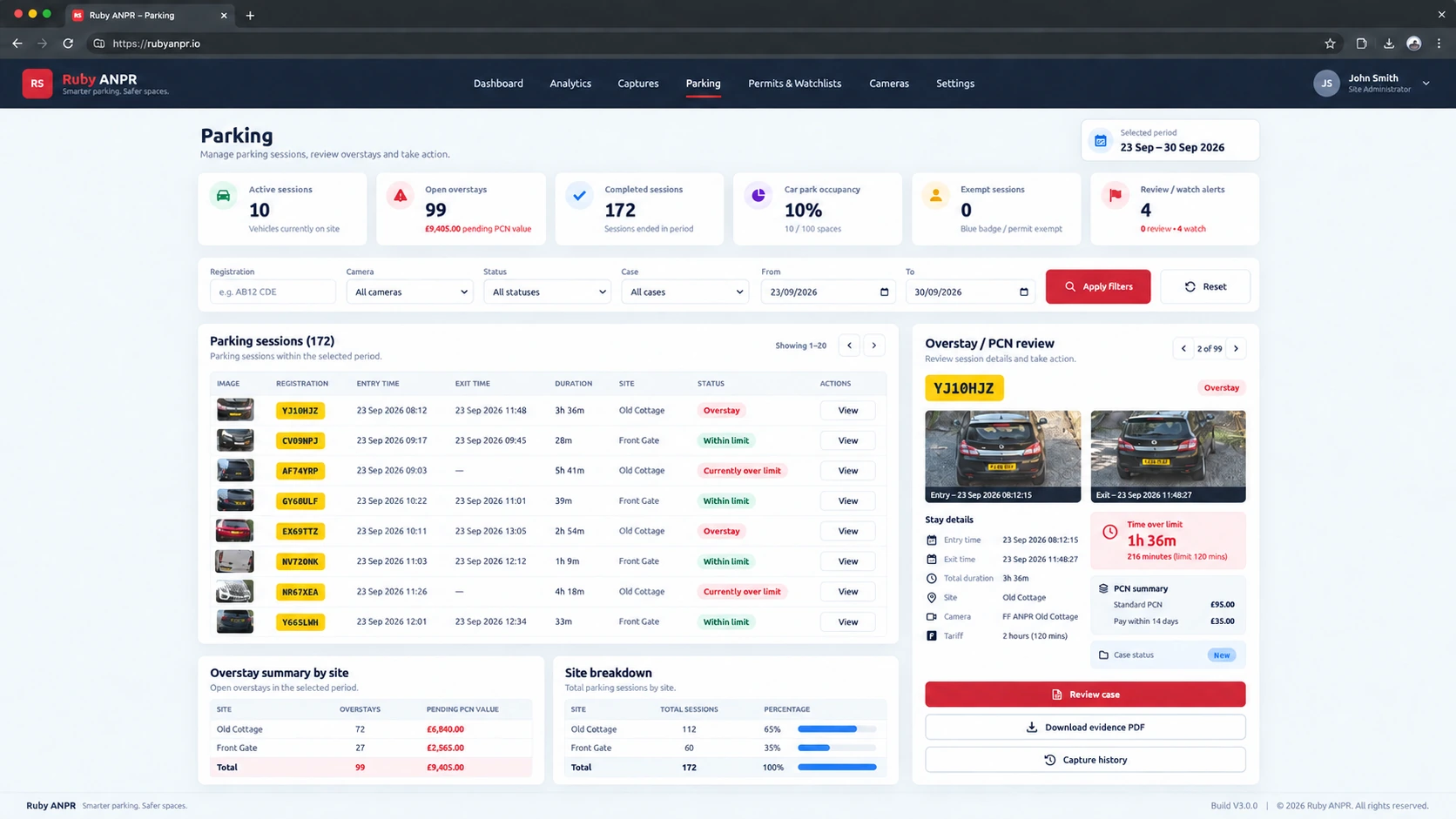
Pair IN and OUT captures into sessions. See recorded stays and estimated occupancy against your configured capacity.
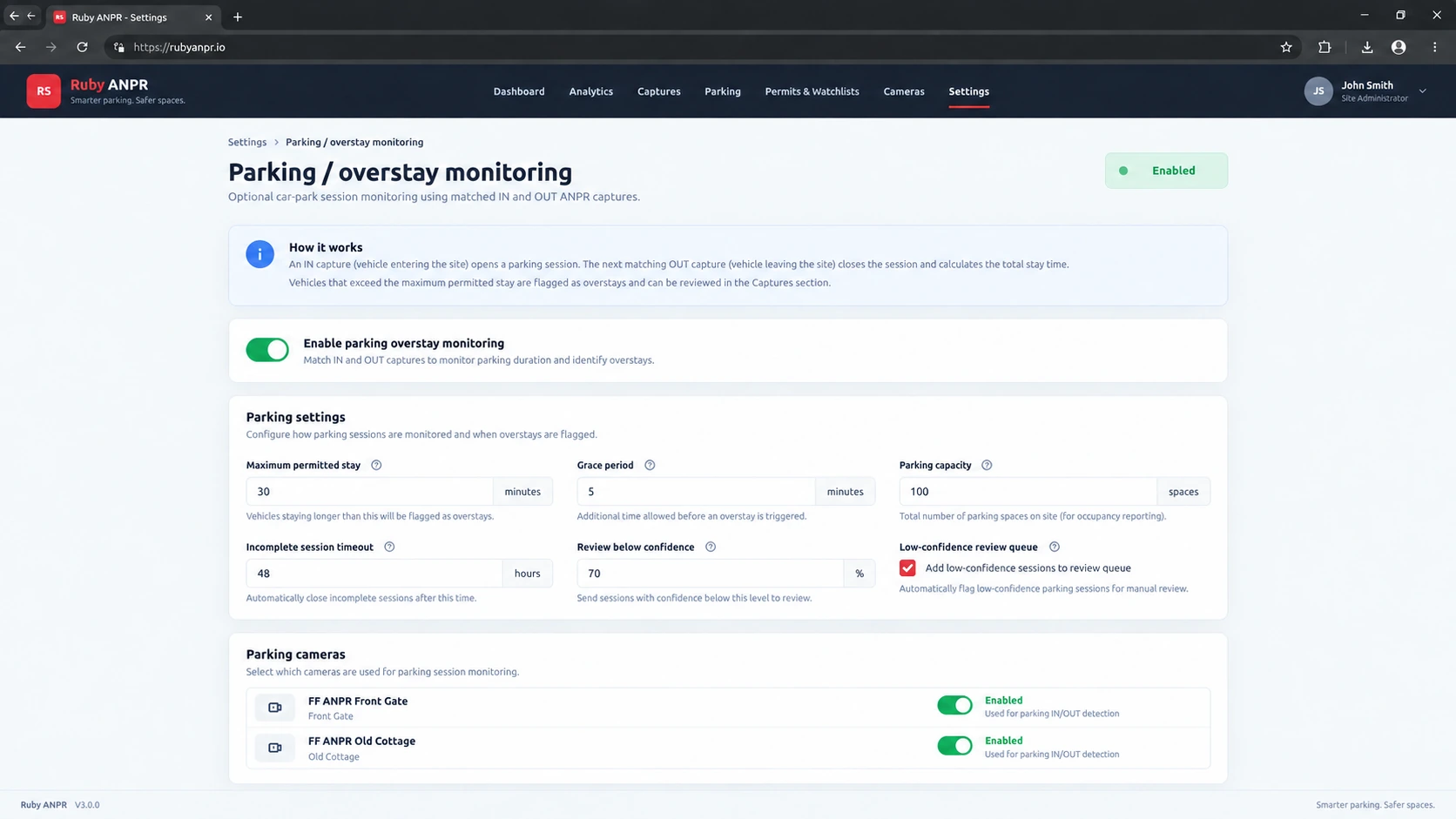
Set permitted time and grace, choose parking cameras and add exemptions for authorised vehicles.
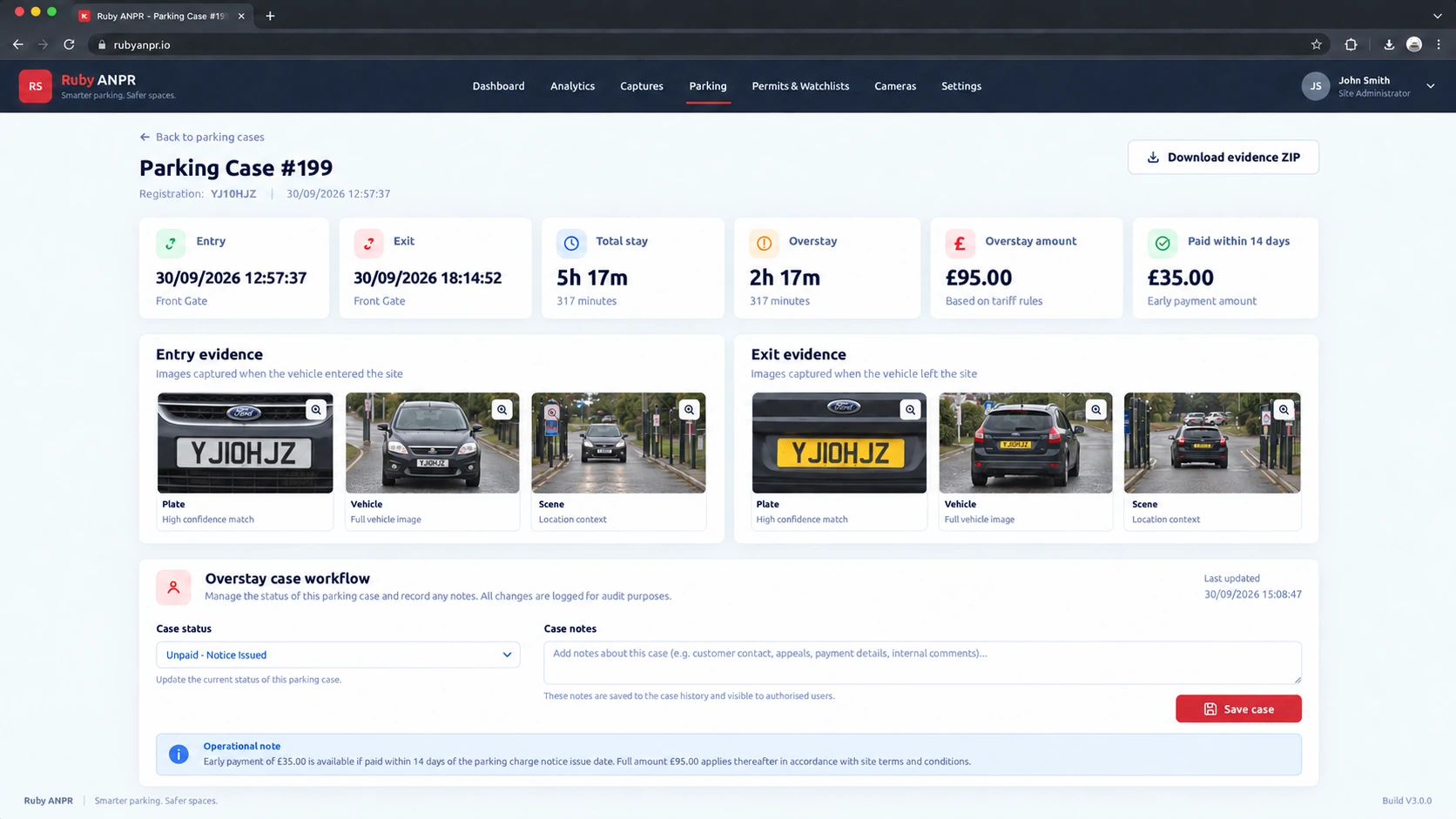
Keep open over-limit visits separate from confirmed overstays, then review cases with the entry and exit evidence.
Bring visibility to gates, yards and lightly staffed entrances. Find a delivery, check a contractor visit or look back at an unfamiliar vehicle.
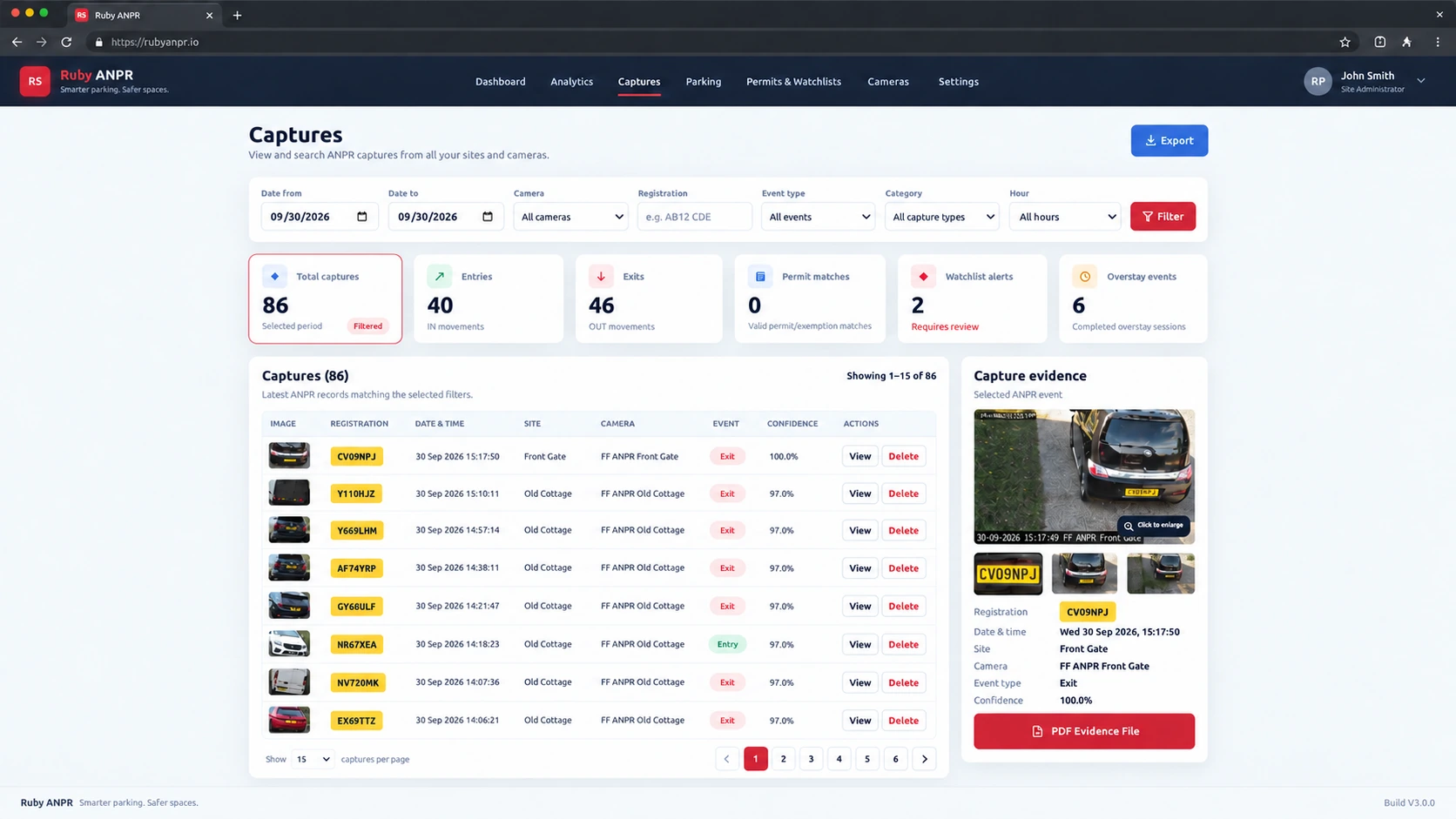
Search a registration or narrow the time window to review deliveries, visitors and other recorded traffic.
Use camera names and IN / OUT records to follow vehicle activity across your configured entrances.
Review the plate crop, vehicle and wider scene where supplied by the camera, with PDF evidence available for captures.
“Which vehicle came through the yard entrance this afternoon?”
Filter the relevant camera and time window, then review the captured images.Give reception, operations and security staff a practical browser view of recorded vehicle activity, with the detail to support handovers and follow-up questions.
Find a vehicle’s capture history to help establish when it was recorded and which camera saw it.
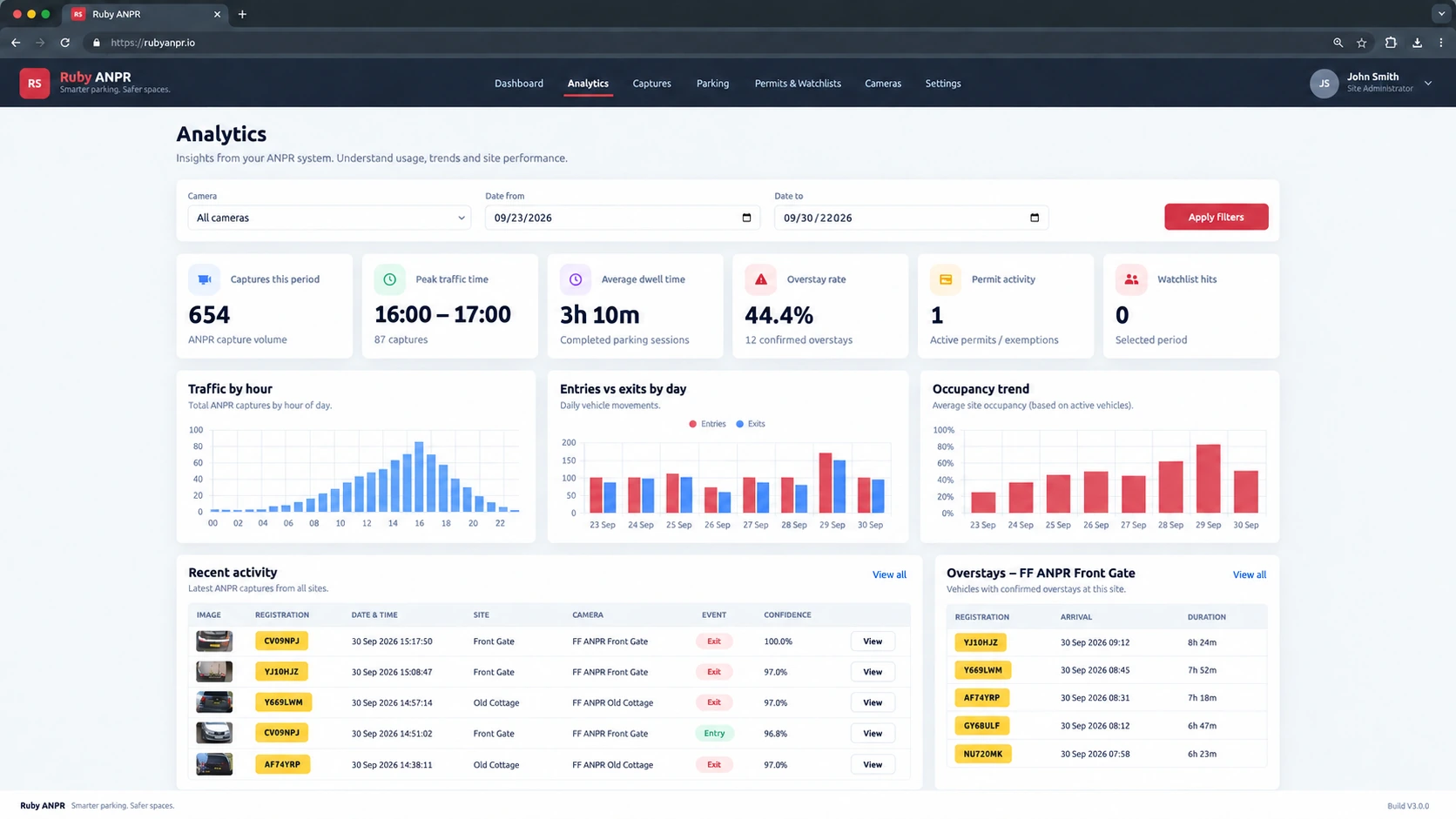
Review traffic patterns by camera and date. Use the parking analytics workflow to explore stays and overstay trends.
Use Admin and Viewer roles, and share exported capture data or analytics reports with your team.
Bring compatible camera events into one monitoring view, so staff can review visits, identify familiar plates and investigate activity across managed entrances.
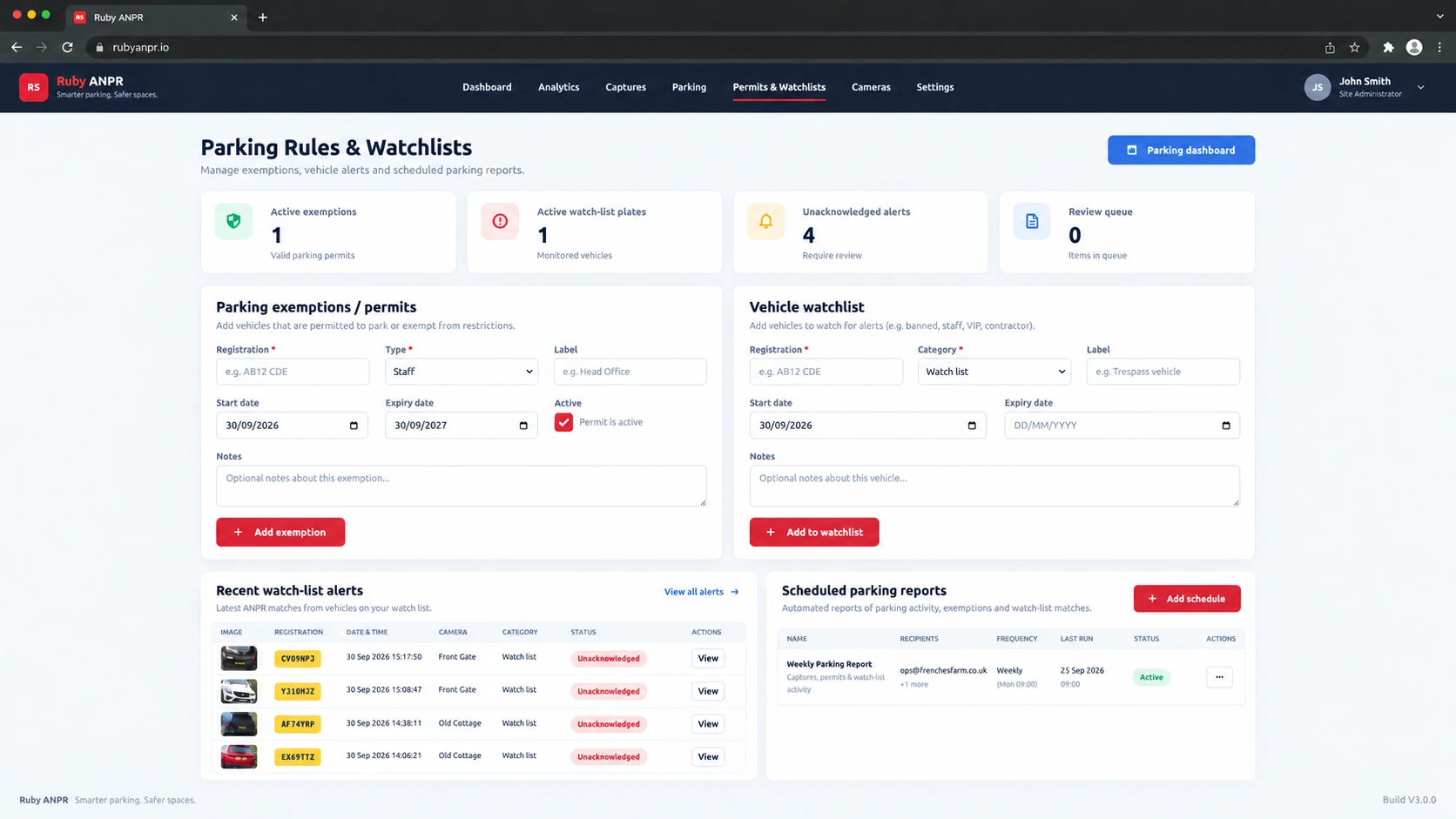
Use a registration, camera or time range to follow recorded movements without checking every camera interface separately.
Use watchlists to flag matching captures for acknowledgement. Add separate parking exemptions where the parking workflow is enabled.
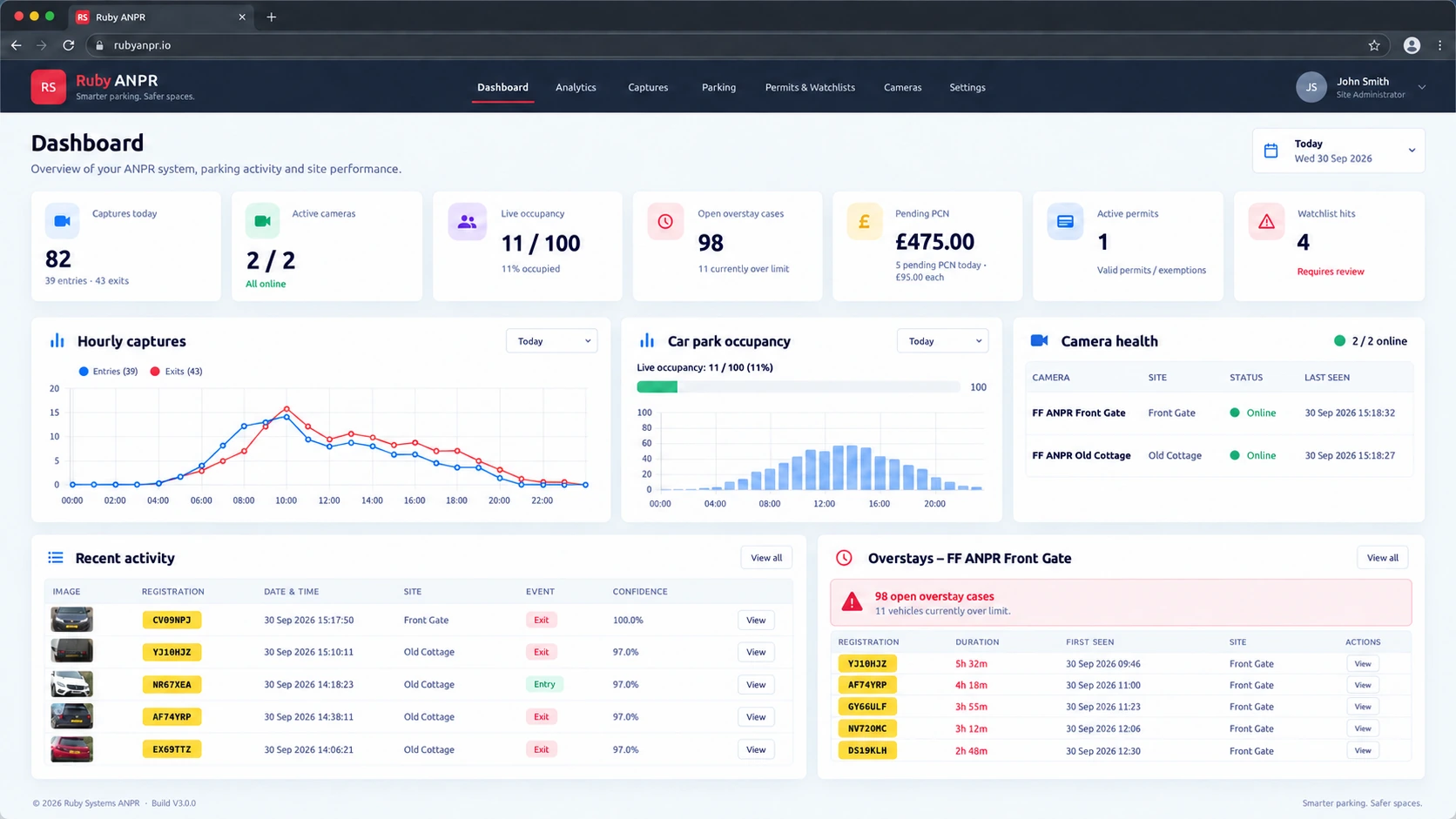
Give authorised staff access to recent activity and supporting images, with camera health available alongside the vehicle record.
Ruby ANPR provides monitoring, vehicle history and evidence. Barrier movement, gate relays and physical access decisions remain with the camera or your existing access-control equipment. Watchlist labels do not themselves operate a gate.
Standard ANPR monitoring and optional parking tools work from the same captured events. Choose how much of the parking workflow your site needs.
Keep straightforward vehicle monitoring on some cameras and enable parking sessions on others. Configure rules and permit exemptions around the way your site operates.
Explore Parking ManagementFor confirmed parking overstays, inspect the visit, add case notes and download PDF or ZIP evidence. Keep the decision and the supporting record together.
See the full feature setRun the portal, database and stored evidence on your compatible server.
Use supported heartbeats to check communication independently of captures.
Manage users, retention and recorded administrative activity from the portal.
Choose a workflow with your cameras, site layout and day-to-day questions in mind.
Talk through your site with usNo. These solutions use the same Ruby ANPR platform. Choose the workflow closest to your needs, then configure the cameras, user access and optional parking features for your installation.
Yes. Searchable captures, images and camera health can be used without enabling parking rules. Parking Management is optional and included in the current Build V3.0.0 software.
Ruby ANPR is designed for compatible Hikvision ANPR cameras that can send the required events. Compatibility depends on the model, firmware and supported event configuration.
Use the compatibility checker and guidance before planning an installation. Parking sessions also depend on correct IN / OUT direction and reliable arrival and departure captures.
The portal records and presents ANPR events for monitoring and evidence review. Physical gate or barrier operation, relay outputs and access decisions are handled by the camera or the site’s existing access-control equipment.
Its permits and watchlists support the software’s parking and review workflows; they do not themselves operate a barrier.
You need a compatible PHP and MySQL / MariaDB web server, HTTPS and the appropriate camera connectivity. The download includes an installer, schema, configuration template and setup guidance.
Camera hardware and hosting are arranged separately. See the installation guides and current pricing details for the next steps.
Explore Ruby ANPR for compatible Hikvision camera projects, customer handover and installer or integrator enquiries.
Explore the demo, check your cameras and take the next step with Ruby ANPR.
Not sure where to start? Tell us about your site
Product images are illustrative Build V3.0.0 interface previews. Sample data and presentation may differ from your installation.