Arrival opens the session
An IN event from a selected parking camera starts the stay. The permitted time, grace and matching exemption are recorded.
A clearer view of your car park, from the first capture to the final review. Connect Hikvision ANPR events into parking sessions, manage stay limits and keep the evidence together.
Included with Ruby ANPR. One-time software purchase. Hosted on your server.
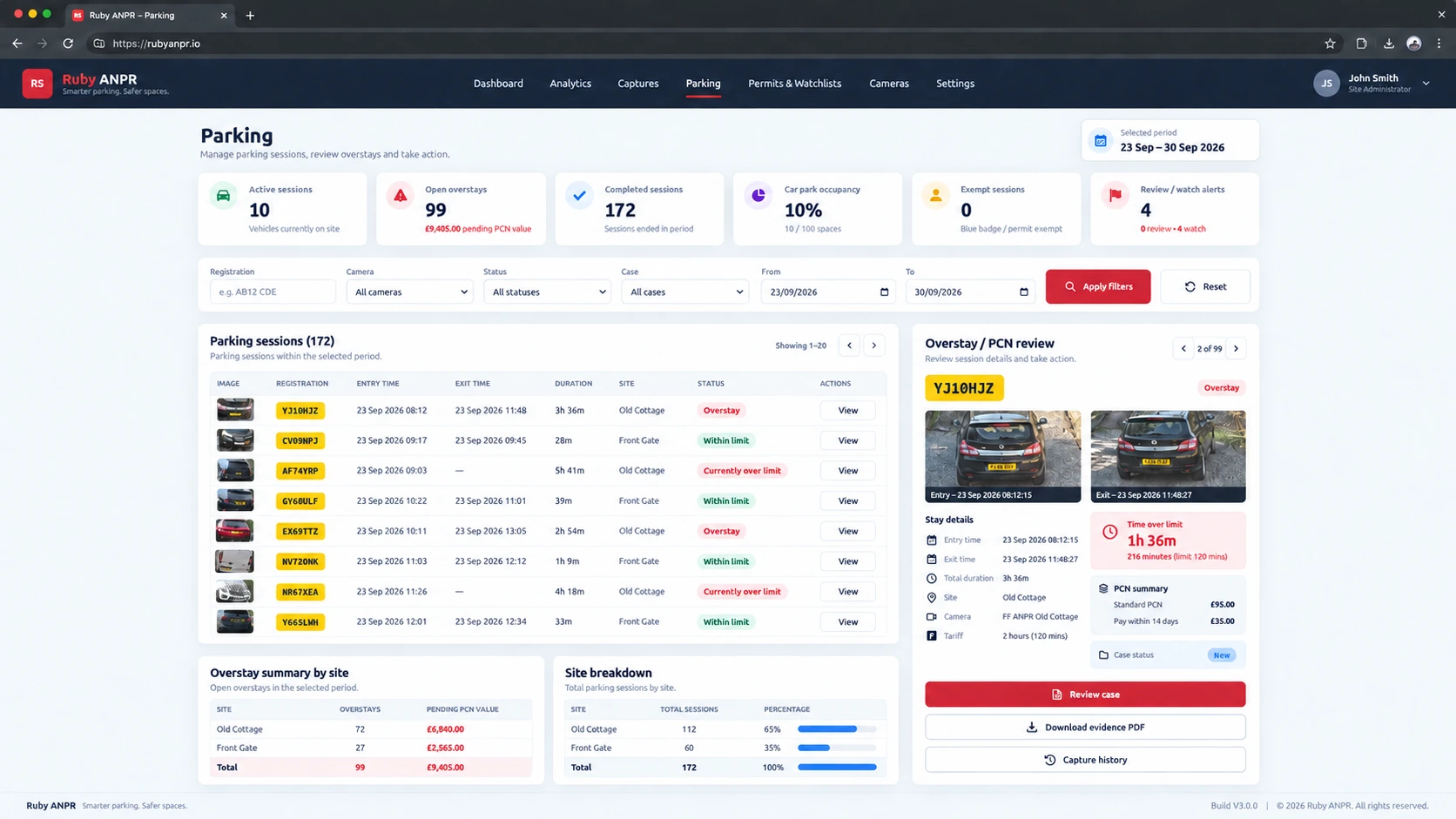
Ruby ANPR pairs a vehicle’s arrival and departure by registration, bringing the times, images and parking rules into the same session.
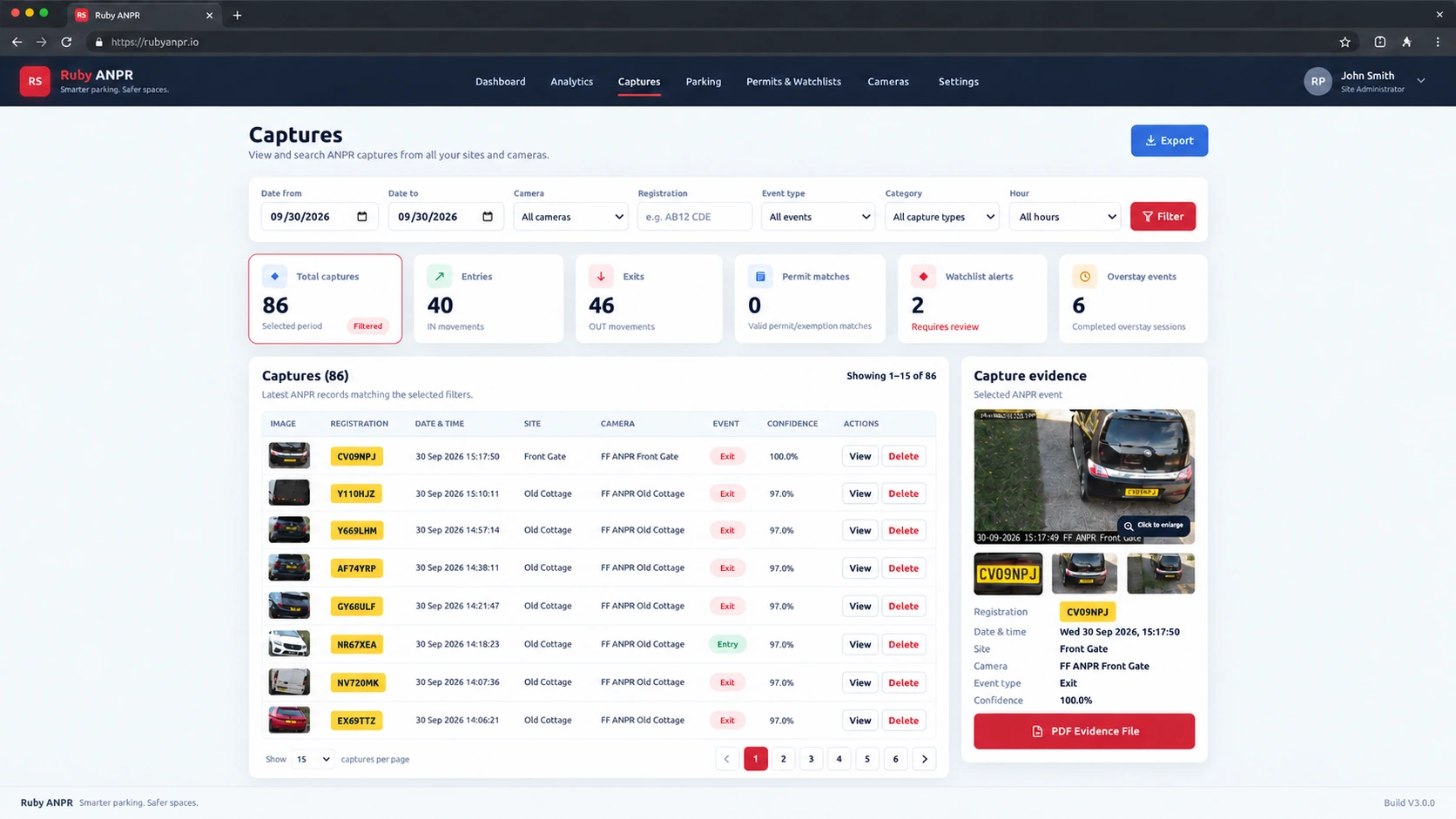
An IN event from a selected parking camera starts the stay. The permitted time, grace and matching exemption are recorded.
The open session contributes to occupancy. If it exceeds the time allowance, it can be shown as currently over limit.
A corresponding OUT event closes the visit, calculates its duration and identifies any completed overstay for review.
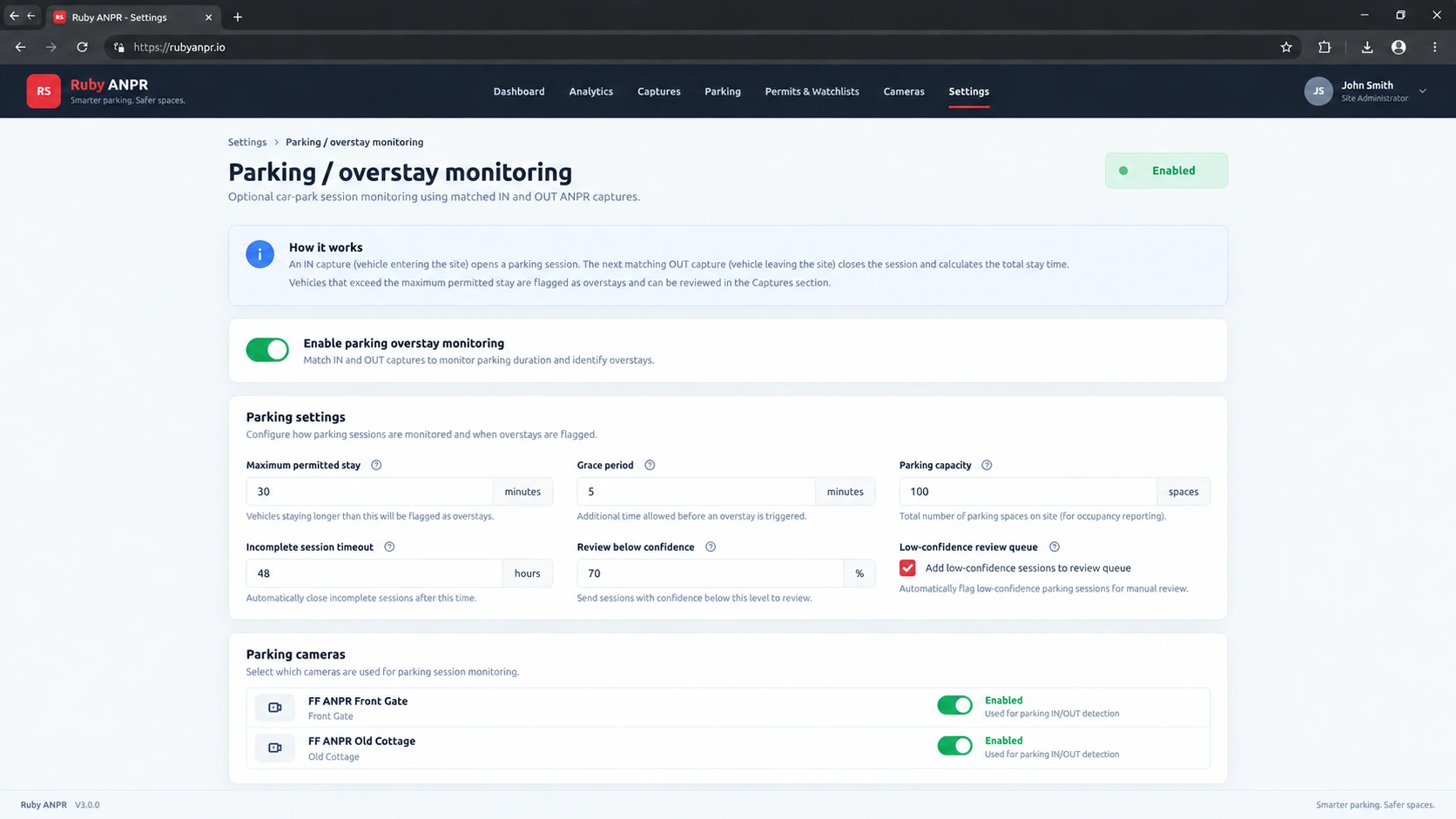
Choose the time allowance, add a grace period and decide which cameras contribute to the parking workflow.
Configure the permitted stay and additional grace allowance. Keep the applied rule with each session for a consistent record.
Enable Parking Management only where it is needed. Standard ANPR monitoring continues independently on other cameras.
Set a confidence threshold and hold uncertain plate reads for an Admin to approve, correct or reject before they affect parking activity.
Keep the context of each stay. The allowed time, grace and exemption state are stored when the session opens, so later settings changes do not overwrite those recorded values.
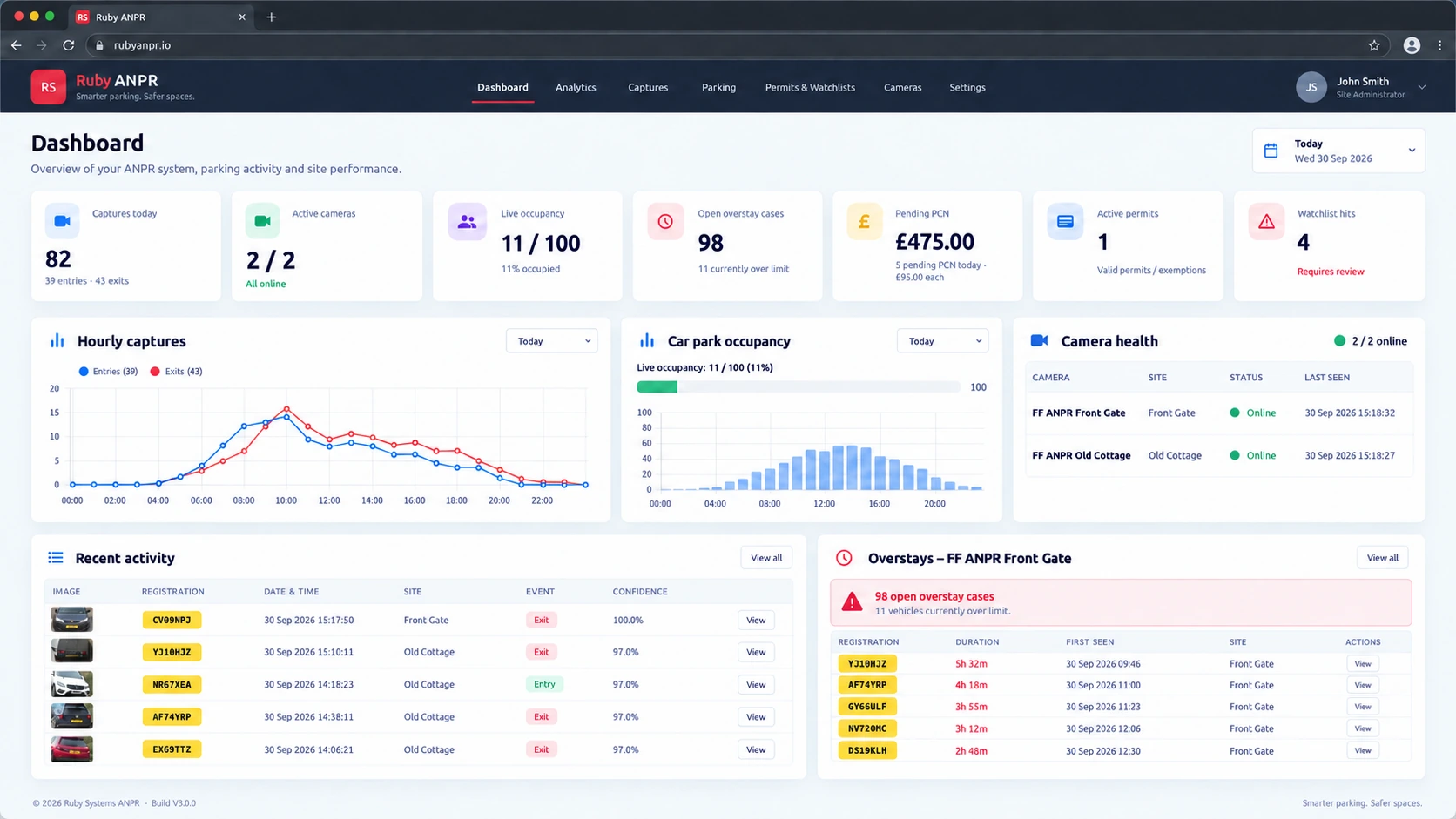
See parking activity alongside vehicle captures and camera health, with a clear distinction between an ongoing visit and a completed overstay.
An open IN session awaiting its matching exit. Use recorded movements and your configured capacity to estimate occupancy and available spaces.
A vehicle still on site beyond its allowed time and grace period. Useful for live attention while the stay remains open.
A non-exempt visit with a recorded exit, where the completed stay exceeded its allowance. Ready for the case review workflow.
Use the Hikvision heartbeat to check communication independently of the last vehicle capture.
A configurable timeout marks stale open sessions as incomplete, so they can be handled separately.
Occupancy is calculated from recorded sessions. Correct direction setup and reliable captures keep that picture useful.
See the arrival, departure and time on site together. Review what happened, record your decision and keep the supporting files in one place.
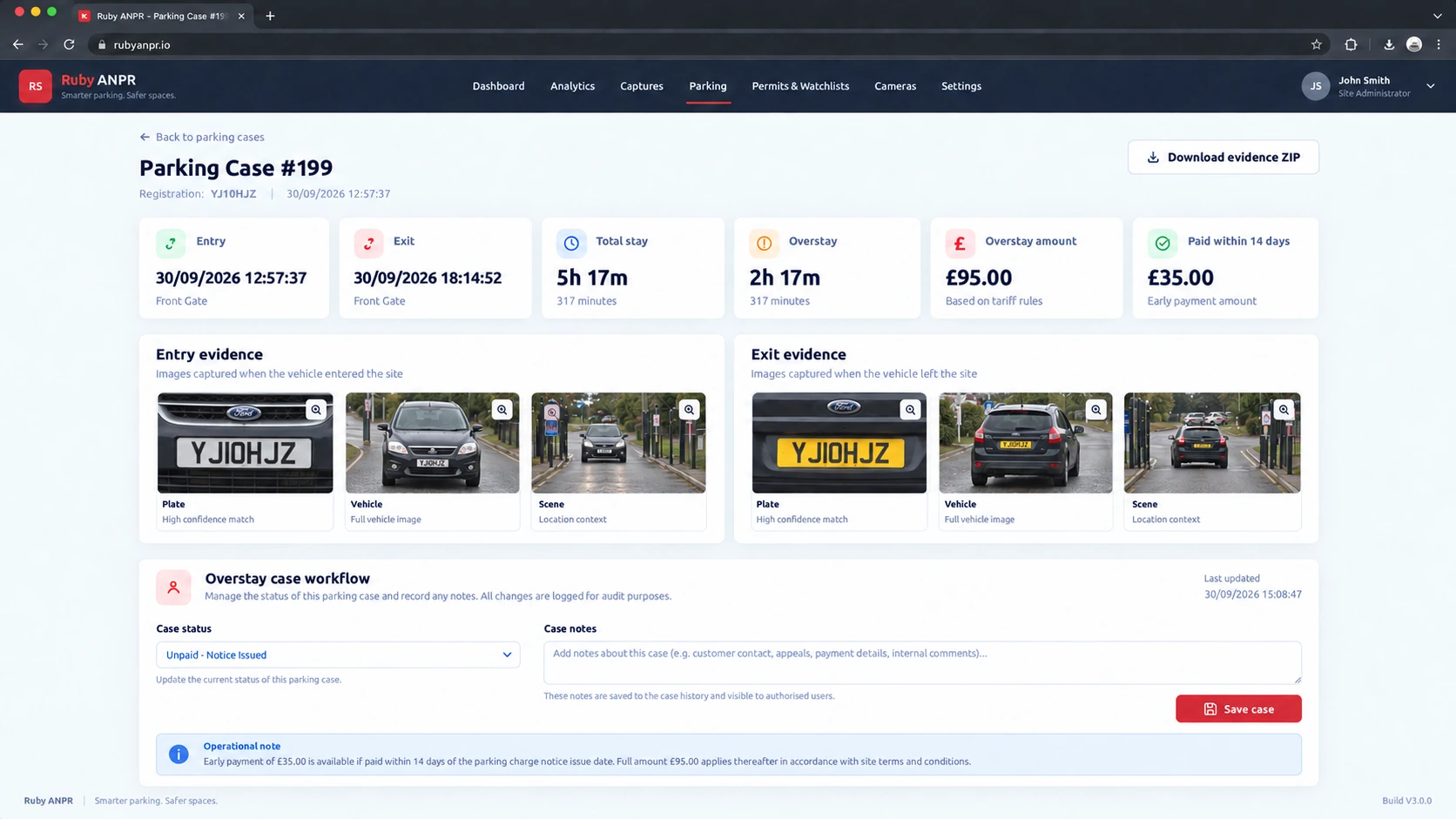
Inspect available plate, vehicle and scene images alongside timestamps, total stay and time over the allowance.
Add notes and move cases through new, reviewed, action required, exempt and closed states. Display your standard and 14-day PCN amounts.
Export a parking evidence PDF or a ZIP containing the evidence PDF, available images and a file manifest with SHA-256 checksums.
Make space for authorised vehicles and turn your parking history into useful operational information.
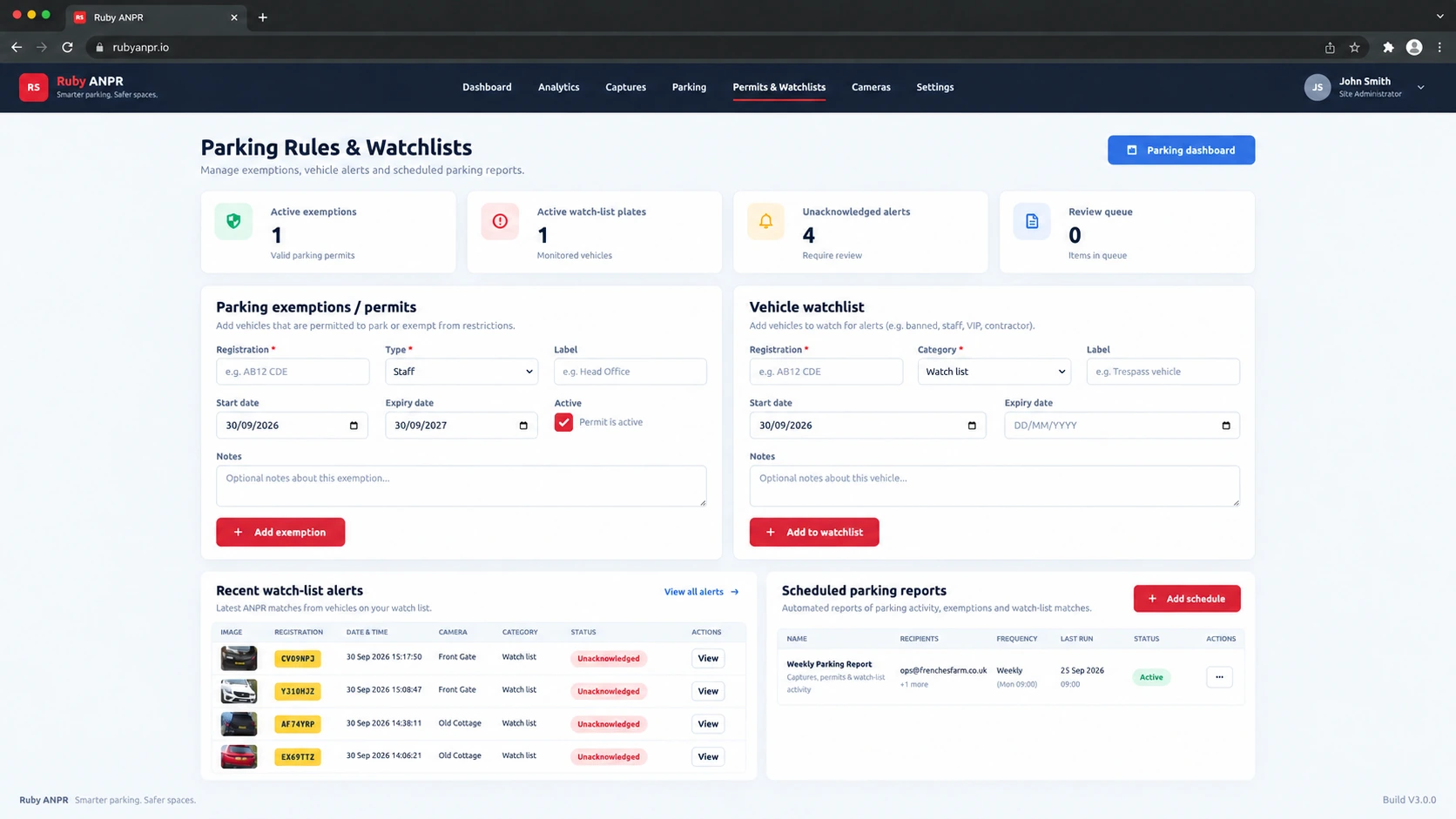
Create registration-based exemptions for staff, residents, contractors and other authorised vehicles. Add labels, notes and optional validity dates.
Watchlist labels help your team identify vehicles. They are separate from parking exemptions.
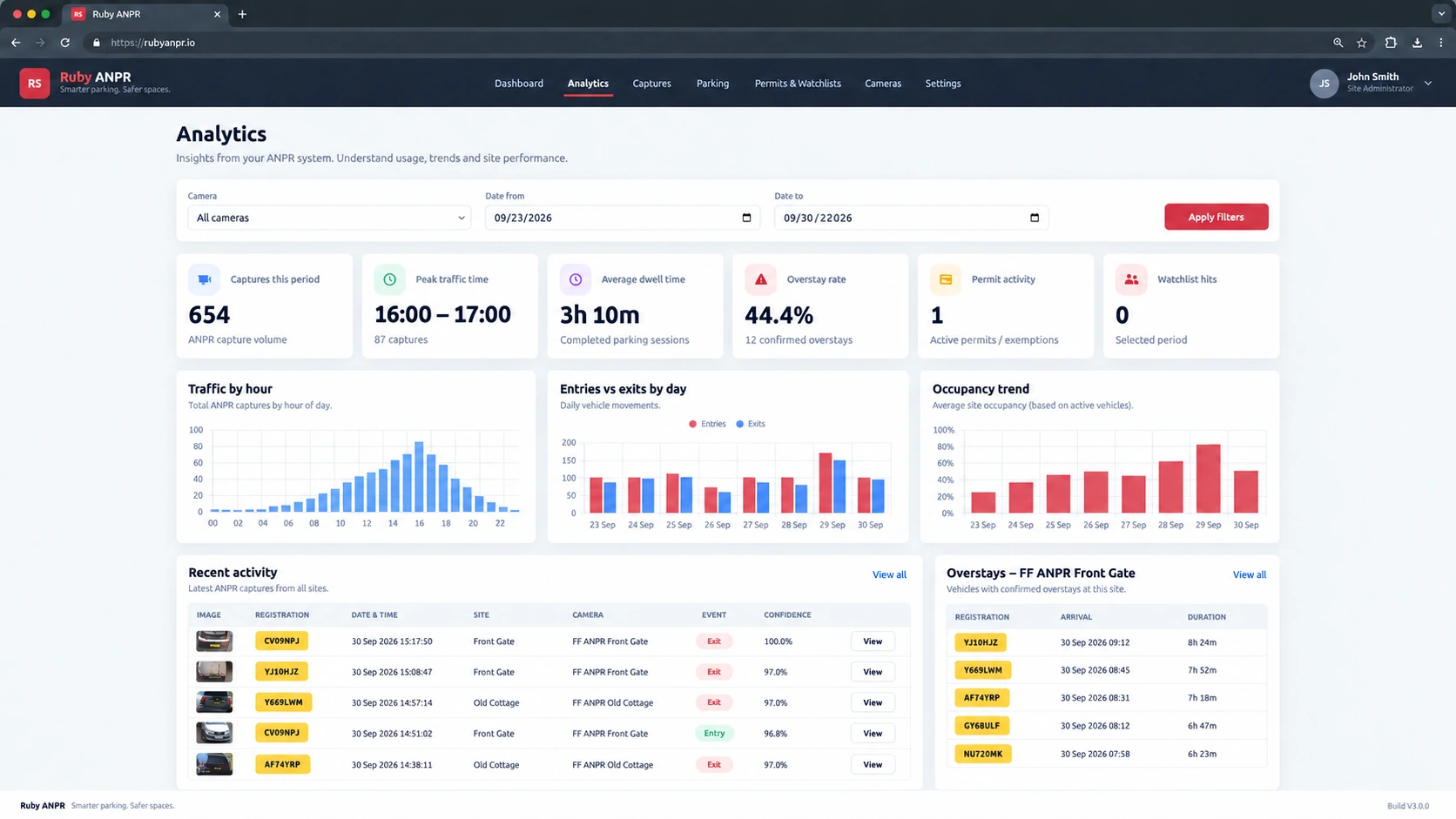
Explore visits by date and camera, understand typical stays and identify the busiest periods. Use the patterns to inform day-to-day decisions.
Schedule daily or weekly parking reports with actionable-overstay CSV data. Requires the server maintenance task to be scheduled and email delivery configured.
Parking Management is included in Ruby ANPR. Run it on your compatible server and give your team the access they need.
Keep your application, sessions, cases and evidence on the PHP and MySQL / MariaDB server you operate.
Use Admin and Viewer roles, manage users and keep recorded administrative actions available for review.
Use parking alongside searchable captures, camera management and the wider Ruby ANPR feature set.
See all featuresHow the parking workflow fits your cameras, your site and your team.
Ask us a questionYes. Parking Management is included in the current Build V3.0.0 software. There is no separate parking module subscription.
It is optional: you can use standard ANPR monitoring without enabling parking rules. Camera hardware and hosting are arranged separately.
Use compatible Hikvision ANPR cameras configured to send authenticated events to your Ruby ANPR installation. Parking sessions depend on correct IN / OUT direction and captures covering arrivals and departures.
Check the camera compatibility guide and follow the camera setup instructions, including HTTPS Alarm Server, Forward / Reverse direction and the heartbeat.
While a visit is still open, it can be shown as currently over limit. A confirmed overstay is calculated when a matching OUT event closes a non-exempt session and its duration exceeds the recorded allowed time plus grace.
Case review then gives your team a place to inspect the evidence and record the appropriate next step.
Yes. Add a plate-based permit or exemption with a type, label, notes, active state and optional start or expiry date. A matching exemption is recorded when the parking session opens.
Watchlists provide a separate way to flag vehicles for attention; a watchlist label is not itself a parking exemption.
When low-confidence review is enabled, reads below your chosen threshold are held for an Admin to approve, correct or reject before they affect parking activity.
Stale open sessions can be marked incomplete after the configured timeout. This keeps visits without a matching exit identifiable for separate handling.
Confirmed overstays support a parking evidence PDF and an evidence ZIP containing the PDF, available entry and exit images, and a SHA-256 file manifest. A summary PDF is included if the full evidence PDF is unavailable.
You can also export overstay data, including registration, entry and exit times, stay length, allowance, grace and case information.
Follow the entry, allowance, grace and exit workflow, with a clearly labelled fictional example and practical evidence review.
Explore the demo, check your cameras and see how Ruby ANPR could work for your site.
Product images are illustrative Build V3.0.0 interface previews. Sample data and presentation may differ from your installation.