ANPR / Road Traffic
The camera must recognise number plates and supply registration metadata. A standard CCTV camera without ANPR analytics is not sufficient.
Check the exact model before you plan your installation. Find its current compatibility status, understand what to verify and take the next step with confidence.
Browse the camera listUse the full model from the camera label or Hikvision interface, including its suffix.
This checks Ruby ANPR’s model list. It does not connect to your camera or test its installed firmware.
iDS-2CD7587G2/P-XZHSY · DeepinView G2 ANPR
This ANPR model is a likely candidate, but the exact firmware should be checked for Alarm Server / HTTP Listening support before it is treated as fully confirmed.
Next step: Check the camera HTTP-host capability or send us the model and firmware version and we will help verify it.
Ruby ANPR receives the registration data and images your camera sends. These are the core capabilities to check.
The camera must recognise number plates and supply registration metadata. A standard CCTV camera without ANPR analytics is not sufficient.
Look for configurable Hikvision Alarm Server, HTTP Listening or compatible ISAPI event push. HTTPS on port 443 is the recommended setup where supported.
Parking needs reliable arrival and departure captures with correct direction. GPS / Positioning Upload can provide a 60-second heartbeat where available.
The directory and checker use the same compatibility database. Select a model to check its full details.
46 listed models
Models on the current Ruby ANPR confirmed compatibility list. Check your exact model suffix and firmware.
Potential candidates requiring an exact camera and firmware capability check before deployment.
Older or other ANPR models whose required Alarm Server / HTTP event delivery has not been confirmed.
Try fewer characters, reset the filters or send us the exact model and firmware.
Ask about your camera →Not listed does not automatically mean incompatible. Newer models may be suitable, but their event delivery and exact firmware need to be verified before purchase or deployment.
Ruby ANPR’s documented production testing uses the Hikvision iDS-2CD7A26G0/P-IZHSY, covering the full route from HTTPS delivery to captures in the portal.
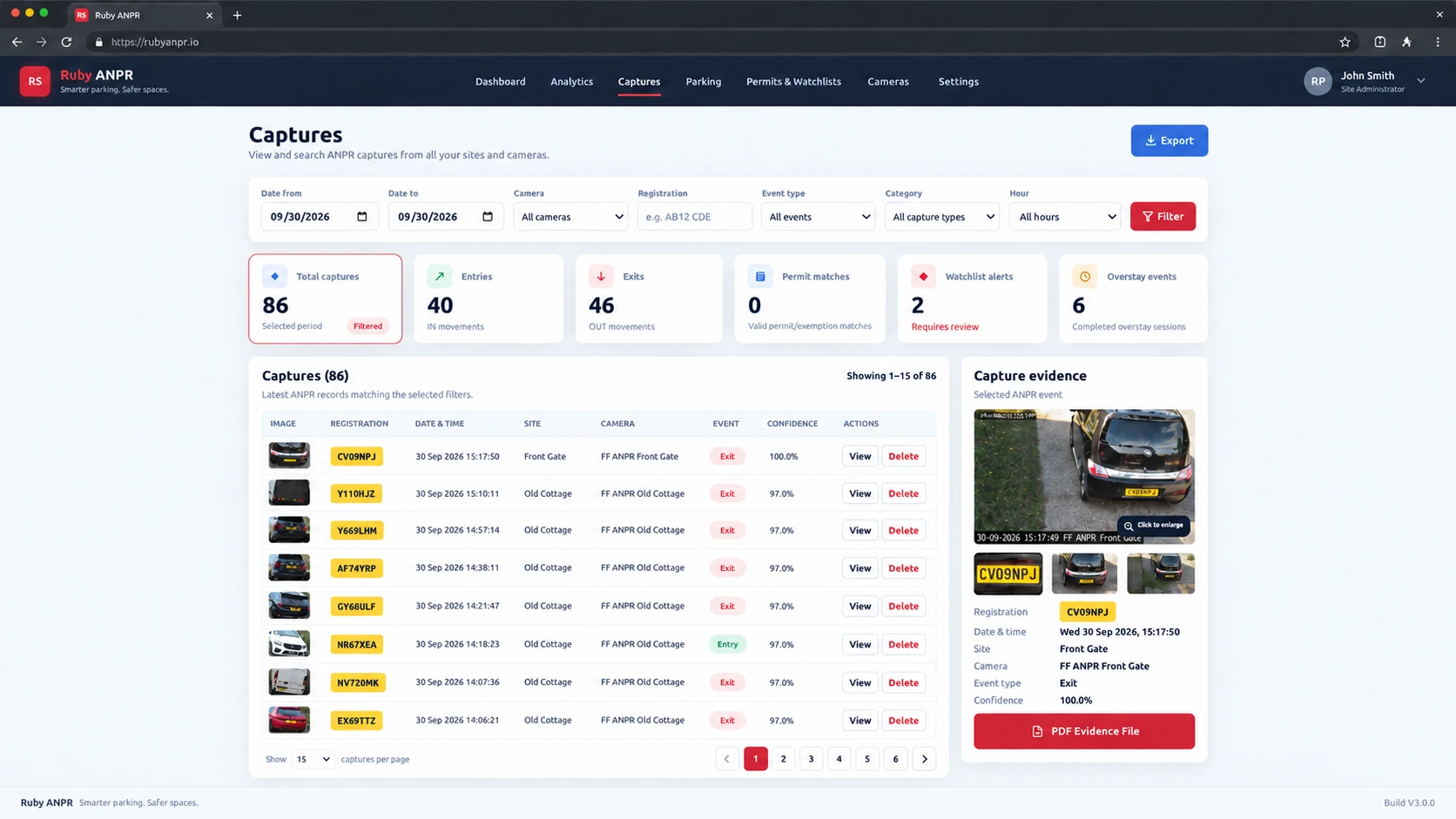
Store the plate metadata and available plate, vehicle and wider scene images received from the camera.
Configure Forward and Reverse linkage, then verify how real vehicle movements appear in Ruby ANPR.
Use the supported GPS / Positioning Upload to update camera presence independently of vehicle captures.
The model list is your starting point. The installed firmware and a real event confirm the setup.
Open the support hub →The model is on Ruby ANPR’s current confirmed list for Alarm Server / HTTP event-push integration. It does not mean this page has connected to your particular camera or tested every firmware version.
Use the full model and suffix, check the required settings and verify the installation with a camera Test event followed by a known real vehicle pass.
ANPR recognition is one requirement. The camera also needs to send the relevant metadata to a configurable HTTP or HTTPS destination using the supported event-delivery approach.
Check the exact model and firmware rather than relying on ANPR, HTTP or ISAPI appearing in a general specification alone.
Where exposed by the camera firmware, the ISAPI capability endpoint can help check support for HTTP host notifications:
GET /ISAPI/Event/notification/httpHosts/capabilitiesA capability response indicating HTTP host notifications is useful supporting information. Confirm ANPR payload delivery as well; the capability flag alone is not an end-to-end compatibility test.
Read the HTTP Listening guideUse the status for the exact model in the directory. Older 4-Series and the listed solar model remain unverified for this event-delivery method; do not assume they behave like the confirmed DeepinView models.
Send the model and firmware version so the required capability can be checked.
See how Ruby ANPR turns compatible camera events into searchable evidence, camera health and optional parking management.
Send the camera model, full suffix and firmware version so we can help you check the next step.
Product image is an illustrative Build V3.0.0 interface preview. Camera features and event content depend on model and firmware.